If you are new to crypto, it is best to start with centralized exchanges (CEXs). Such platforms are easier in the registration process and purchasing digital assets for fiat. They also offer an intuitive UX similar to traditional financial apps.
Once you get comfortable buying and holding crypto on a CEX, the next step is usually a non-custodial wallet for self-custody, swaps, and Web3 access.
Related: How to Create a Crypto Wallet — Step-by-Step Guide for Beginners
We have compiled a list of best crypto apps for beginners, evaluating each one based on ease of onboarding, user interface, pricing transparency, fiat deposits and recurring buys, security tools, and educational support.
Contents
- Best Crypto Apps for Beginners: Quick List
- Best Crypto Apps for Beginners Compared
- 1. CoinRabbit — Best Crypto Wallet for Lending and Beginners
- 2. Coinbase — Best Overall Crypto App for Beginners
- 3. Robinhood Crypto — Best for Stock-App Simplicity
- 4. Crypto.com — Best All-in-One Mobile Crypto App
- 5. Uphold — Best for Asset Variety
- 6. Zengo — Best Overall Wallet for Absolute Beginners
- 7. Trust Wallet — Best Mobile-First Multi-Chain Wallet
- 8. Phantom — Best for Beginners Exploring Solana
- 9. Exodus — Best for Desktop and Mobile Simplicity
- How to Choose the Right Crypto App as a Beginner
- Common Beginner Mistakes to Avoid
- FAQ
Best Crypto Apps for Beginners: Quick List
- Best overall crypto app for beginners: Coinbase
- Best for stock-like simplicity: Robinhood Crypto
- Best all-in-one mobile crypto app: Crypto.com
- Best for broad asset access: Uphold
- Best beginner crypto wallet overall: Zengo
- Best mobile-first multi-chain wallet: Trust Wallet
- Best for beginners exploring Solana: Phantom
- Best for desktop and mobile simplicity: Exodus
Best Crypto Apps for Beginners Compared
| App | Best for | Type | Staking | Fees | Main drawback |
| CoinRabbit | Crypto-backed loans and earning yield | Custodial crypto platform | No* | No hidden exchange fees; loan interest applies | Custodial platform; focused more on lending than trading |
| Coinbase | First-time crypto buyers | Custodial CEX | Yes | Higher on simple buys | Not the cheapest for beginners |
| Robinhood Crypto | Users who want a stock-app feel | Custodial app | Limited | No commission, but spreads matter | Less crypto-native than dedicated apps |
| Crypto.com | Users who want an all-in-one mobile app | Custodial CEX | Yes | Competitive, but not always clear | Can feel busy for total beginners |
| Uphold | Beginners who want broad asset access | Custodial platform | Yes | Variable by asset and transaction type | Less focused than Coinbase |
| Zengo | Absolute beginners entering self-custody | Non-custodial wallet | Yes | Transparent, but swaps can cost more | Fewer advanced DeFi tools |
| Trust Wallet | Beginners who want a mobile wallet | Non-custodial wallet | Yes | No wallet fee; network fees apply | Less hand-holding than a CEX |
| Phantom | Beginners exploring Solana and multi-chain wallets | Non-custodial wallet | Not a key differentiator | Network, swap, and routing fees apply | Less suitable if you only want simple buy-and-hold |
| Exodus | Users who want desktop + mobile simplicity | Non-custodial wallet | Yes | Network and swap costs apply | Not the deepest DeFi option |
1. CoinRabbit — Best Crypto Wallet for Lending and Beginners
Google Play: Available
App Store: Coming soon
CoinRabbit is a custodial crypto wallet built for users who want to store, exchange, earn, and borrow crypto from one platform. It supports 300+ crypto assets, including Bitcoin, Ethereum, XRP▲$1.13, Solana, and stablecoins.
Unlike non-custodial wallets, CoinRabbit manages custody of users’ assets. The platform says funds are held in cold storage, with security measures including 2FA, biometric authentication, address whitelisting, and passkey protection.
The main differentiator is its lending functionality. Users can use more than 300 cryptocurrencies as collateral for crypto-backed loans, while also managing their assets, swaps, and savings from the same account. CoinRabbit says loans can be processed within around 10 minutes, depending on the circumstances.
For beginners, the custodial model removes the need to manage a seed phrase or private keys. Account recovery is handled through the platform, which makes CoinRabbit simpler to use than traditional self-custody wallets, although it also means users depend on CoinRabbit’s infrastructure.
CoinRabbit’s key features include:
- 300+ supported crypto assets
- Custodial wallet with cold storage
- Crypto-backed loans
- Built-in crypto swaps
- Crypto savings and yield products
- 2FA, biometrics, address whitelisting and passkeys
- Web wallet and Android app
Pros:
- Simple onboarding without seed phrase management
- 300+ supported assets
- Built-in crypto lending and swaps
- Cold-storage custody
- 24/7 human support
Cons:
- Custodial rather than self-custodial
- Less suitable for users who want full control of private keys
- More focused on lending and asset management than advanced wallet functionality
2. Coinbase — Best Overall Crypto App for Beginners
App Store rating: 4.7/5
Google Play rating: 4.3/5
Coinbase is the best overall crypto app for beginners because it combines a clean interface, simple onboarding, recurring buys, built-in educational content, and strong account security in one place.
It supports hundreds of cryptocurrencies in the retail app, and its more advanced trading interface offers 550+ spot pairs.
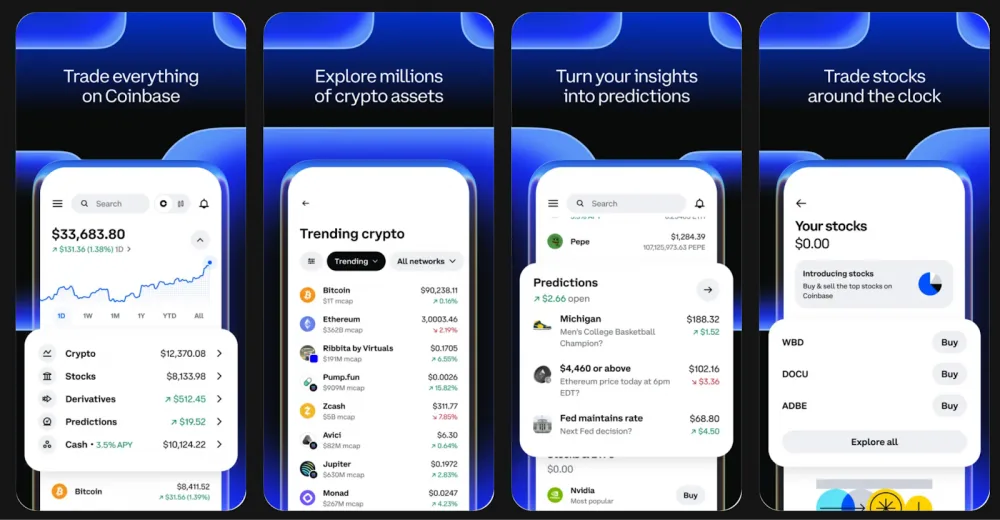
Coinbase app’s key features include:
- Buy, sell, trade, store, and stake crypto within one interface
- Recurring buys for automated investing
- Educational content for beginners
- Staking for eligible users and assets
- Advanced Trade for lower-fee spot trading
- Security tools including 2FA and security-key support
Fees: As for fees, they depend on factors like payment method, order size, asset, and market conditions. Simple buy and sell orders also include a spread in the quoted price. Exact costs are shown before you confirm the transaction.
Pros:
- Very easy to use for complete beginners
- Clean mobile and web interface
- Supports recurring buys
- Good educational support
- Clear upgrade path into lower-fee trading tools
Cons:
- Simple buys can be more expensive than on some rivals
- Retail pricing is less predictable than fixed-fee models
- Some advanced fee savings only show up once you move beyond the basic buy flow
3. Robinhood Crypto — Best for Stock-App Simplicity
App Store rating: 4.4/5
Google Play rating: 2.7/5
Robinhood Crypto is a strong option for beginners who want crypto to feel as simple as using a stock-trading app. Its interface is similar to a brokerage app, so this option can be one of the easiest ways to start buying and holding digital assets.

Robinhood’s app supports over 45 cryptocurrencies and offers zero deposit or withdrawal fees for crypto transfers.
Its key features include:
- Support of variety of cryptocurrencies
- Recurring crypto buys starting from $1
- Simple, stock-app-style portfolio experience
- Crypto transfers with zero Robinhood deposit or withdrawal fees
- 2-factor authentication
- 24/7 live support in the main app
Fees: Robinhood markets crypto trading as commission-free, but that does not mean every trade is free in an all-in sense. Robinhood’s pricing disclosures say users should still pay attention to spreads, routing, and execution pricing. Robinhood also has published crypto fee tiers and order-routing explanations, which means costs can still be built into execution even when there is no separate commission line item.
Pros:
- Very easy to use for beginners
- Familiar interface for users coming from stock investing
- Recurring buys from very small amounts
- No fees for crypto deposits or withdrawals
- Good fit for simple buy-and-hold users
Cons:
- Less crypto-native than dedicated crypto apps
- Lower asset count than some competitors
- “Commission-free” can still involve spread-related trading costs
- Android rating is currently much weaker than its App Store rating, which may matter for mobile-first users
4. Crypto.com — Best All-in-One Mobile Crypto App
App Store rating: 4.7/5
Google Play rating: 4.4/5
Crypto.com is a strong beginner app for users who want more than just a basic place to buy Bitcoin. It combines a mobile-first interface with crypto trading, recurring buys, staking-style rewards, card perks, and a broader consumer ecosystem in one app.
The app supports 400+ cryptocurrencies, which makes it one of the broader beginner-friendly options in this roundup.
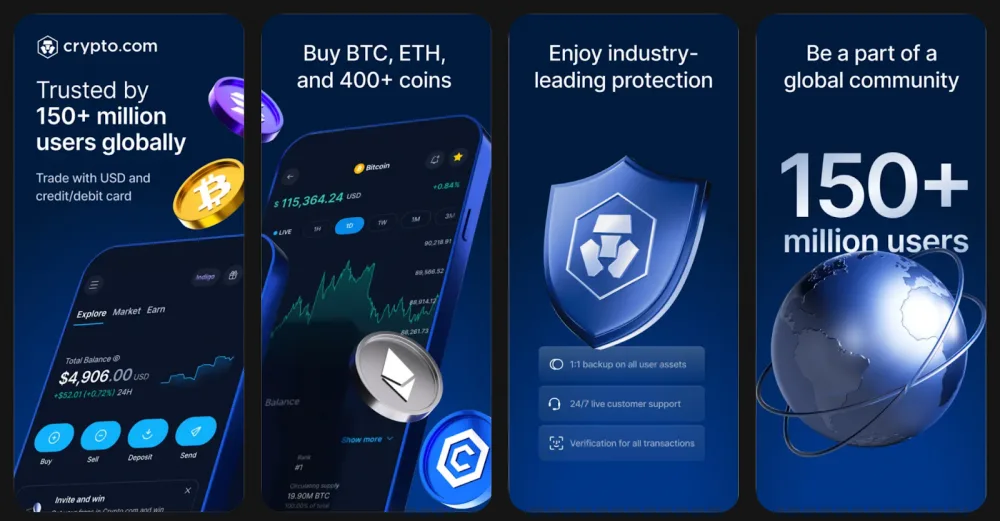
It accommodates different experience levels, with features ranging from basic purchases and recurring buys to Earn products, cards, and advanced trading. Crypto.com also offers paid subscription tiers that include zero trading fees up to set monthly limits, though other transaction costs may still apply.
The app’s key features include:
- Support for 400+ cryptocurrencies
- Recurring crypto purchases
- Crypto rewards products for selected assets
- Support for 20+ fiat currencies
- Additional ecosystem features beyond basic buying and selling
- Optional subscription tiers with trading-fee discounts or waivers, depending on the plan
Fees: Fees on Crypto.com depend on the product, transaction type, and account plan. Some subscription tiers include reduced or waived trading fees within set limits, but spread and other transaction costs may still apply.
Pros:
- Broad cryptocurrency selection compared with many beginner apps
- Includes recurring buys and other basic investing tools
- Can suit users who want more features in one app
- Available on both iOS and Android
- Offers additional products beyond simple spot purchases
Cons:
- Interface may feel more crowded than simpler beginner apps
- Pricing is less straightforward than on some competitors
- “Zero trading fee” offers do not eliminate spread or every transaction cost
- May be more than a complete beginner needs at the start
5. Uphold — Best for Asset Variety
App Store rating: 4.7/5
Google Play rating: 4.2/5
Uphold is a useful option for beginners who want access to a wider range of assets than many entry-level crypto apps offer. The platform supports 360+ cryptocurrencies, 27 national currencies, and 4 precious metals, depending on location.

The app also includes recurring transactions, limit orders, and multiple funding methods, including cards, bank transfers, crypto networks, and Apple Pay in supported regions. Uphold also offers staking on 20+ digital assets, though availability varies by asset and geography.
Uphold app’s key features include:
- Support for 360+ cryptocurrencies
- Access to 27 national currencies and 4 precious metals
- Recurring buy orders
- Limit orders
- Multiple deposit methods, including cards, bank transfers, and crypto
- Staking for 20+ digital assets in supported regions
Fees: Uphold publishes a more concrete retail trading schedule than some beginner apps, which is a big plus. In the U.S., U.K., and Europe, trading fees are typically under 0.25% for most stablecoins, 0.3% for major market FX, 1.80%-1.95% for BTC▲$62,630.00 and ETH▲$1,761.17, 2.85%-3.80% for altcoins, and 2.35%-3.40% for precious metals.
Uphold says these rates can vary by region, trade size, asset liquidity, and market conditions, and that prices shown before trade confirmation are all-inclusive. For funding, some deposit methods also carry separate charges, such as 3.99% for U.S. card/Apple Pay/Google Pay deposits, while some U.K. card deposits are listed as not applicable.
Pros:
- Wider asset selection than many beginner-focused apps
- Includes recurring buys and limit orders
- Published retail trading fee ranges are available
- May suit users who want crypto and non-crypto assets in one app
Cons:
- Trading fees on BTC, ETH, and especially altcoins are relatively high
- Available assets and features depend on location
- Staking involves asset-specific lock-up and unstaking periods in some cases
6. Zengo — Best Overall Wallet for Absolute Beginners
App Store rating: 4.7/5
Google Play rating: 4.1/5
Zengo is a useful wallet for beginners who want to move into self-custody without dealing with a seed phrase.
Its main difference from traditional wallets is that it uses MPC (multi-party computation) instead of a single private key or recovery phrase, which changes how wallet recovery and security work.
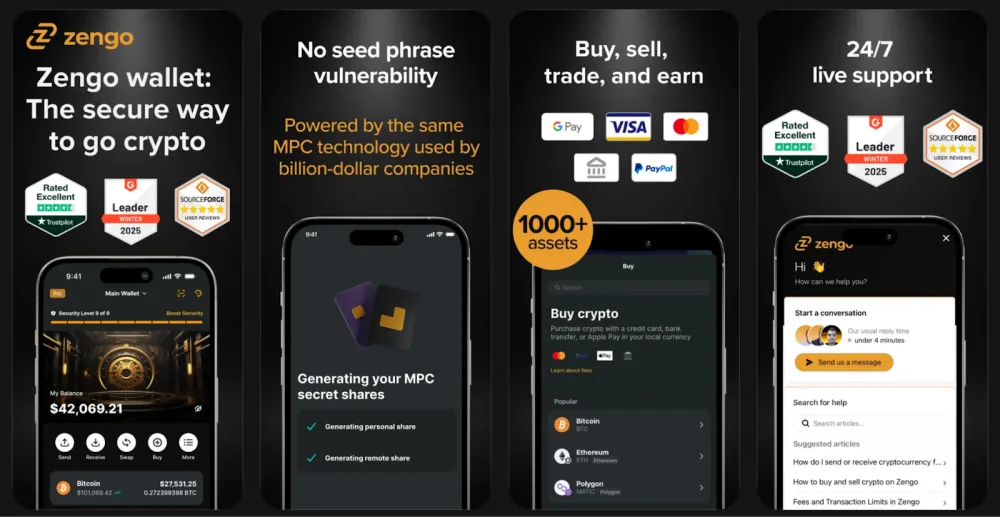
The wallet supports hundreds of crypto assets, including major networks such as Bitcoin, Ethereum, Solana, and TRON. The app also includes built-in options to buy, sell, swap, store, send, and earn crypto, along with 24/7 support through in-app chat or email.
Zengo app’s key features include:
- Seedless MPC-based wallet design
- Built-in buying, selling, sending, and swapping
- Support for hundreds of crypto assets
- Wallet recovery model that does not rely on a seed phrase
- 24/7 in-app support
- Additional security features in paid tiers, such as Web3 firewall and withdrawal protection
Fees: Zengo does not charge fees for sending, receiving, or storing crypto as a self-custodial wallet. However, users may still pay blockchain network fees and third-party provider fees for actions such as buying, swapping, or selling crypto in the app.
Pros:
- Does not require a seed phrase
- Recovery model may feel simpler for beginners
- Includes basic wallet actions inside one app
- Support is available directly through the app
Cons:
- Fee transparency is lower than on platforms with published trading schedules
- Final costs can vary depending on third-party providers and network conditions
- May offer fewer advanced DeFi tools than some more crypto-native wallets
7. Trust Wallet — Best Mobile-First Multi-Chain Wallet
App Store rating: 4.7/5
Google Play rating: 4.4/5
Trust Wallet is a useful option for beginners who want a mobile-first wallet with broad blockchain support. It is a non-custodial wallet, which means users control their own wallet access and recovery rather than relying on an exchange.
Trust Wallet supports 100+ blockchains and can be used to store, buy, send, receive, swap, and stake crypto from one app.
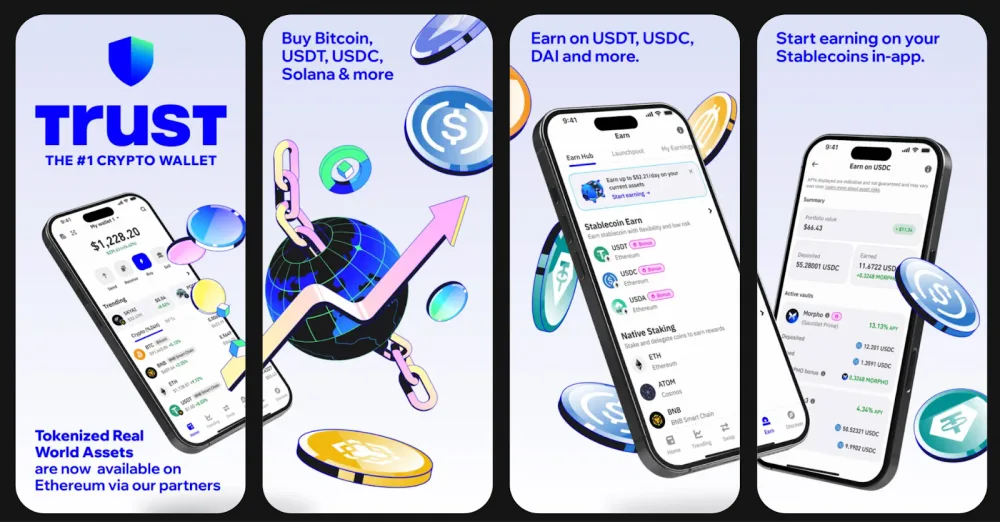
It is often used as a next step after buying crypto on an exchange, especially for users who want to try self-custody, explore multiple networks, or access Web3 features from a phone. The app also includes tools such as a built-in dApp browser on supported platforms, staking access, and NFT support.
Trust Wallet app’s key features are:
- Support for 100+ blockchains
- Non-custodial wallet structure
- Built-in crypto buying and swapping
- Staking for supported assets
- NFT storage and Web3 access
- Biometric lock and other app-level security options
Fees: Trust Wallet itself does not charge a separate wallet fee for storing assets. Users typically pay blockchain network fees for onchain transactions, and may also pay third-party provider fees or spreads when buying, swapping, or selling crypto through integrated services in the app.
Pros:
- Broad blockchain support
- Includes basic wallet tools in one mobile app
- Suitable for users who want to move beyond exchanges
- No separate storage fee from the wallet itself
Cons:
- Recovery responsibility remains with the user
- Total transaction costs vary depending on network and provider
- Less guided onboarding than a beginner-focused exchange app
8. Phantom — Best for Beginners Exploring Solana
App Store rating: 4.8/5
Google Play rating: 4.7/5
Phantom is a strong fit for newbies who want a self-custodial wallet with a simple interface and easy access to the Solana ecosystem.
While it started as a Solana wallet, Phantom now supports multiple networks, including Solana, Ethereum, Base, Polygon, Sui, Monad, Bitcoin, and HyperEVM.
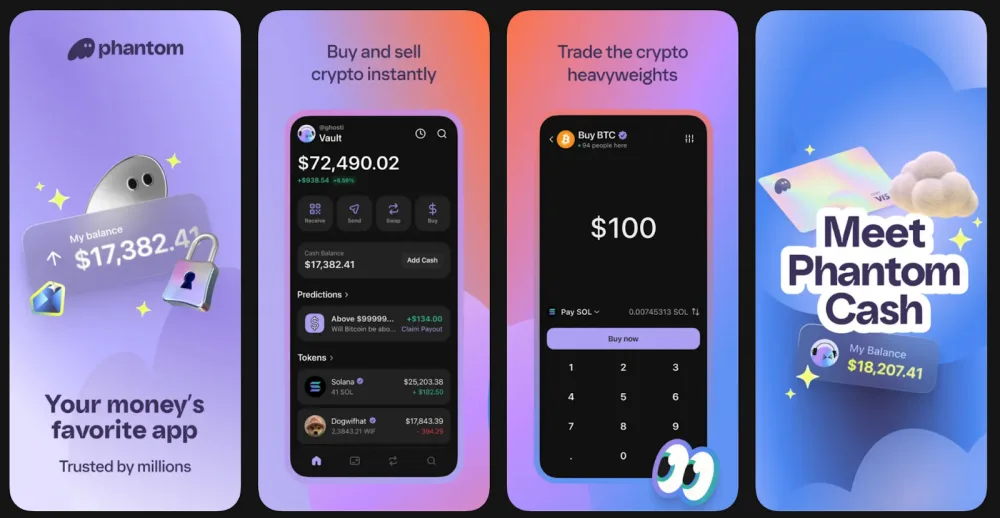
It is especially relevant for users who expect to interact with Solana-based tokens, NFTs, swaps, or apps. Phantom also includes built-in swapping, token discovery, app connections, scam detection, and 24/7 support, which makes it easier for beginners to do more than just store assets.
Its key features include:
- Support for Solana, Ethereum, Base, Polygon, Sui, Monad, Bitcoin, and HyperEVM
- Non-custodial wallet structure
- Built-in token swaps, including some cross-network swaps
- NFT storage and app connectivity
- Scam detection tools
- Ledger support on the browser extension
Fees: Phantom does not charge a general storage fee for using the wallet itself, but users still pay network fees for onchain transactions. For swaps, Phantom charges a 0.85% fee on select swap pairs, while other costs may include DEX, bridge, liquidity provider, and gas fees depending on the route.
For some cross-network routes, the additional bridge or liquidity-provider cost may be around 0.3%, but it is not fixed.
Pros:
- Broad network support for a beginner wallet
- Strong fit for Solana users
- Includes built-in swaps and app connectivity
- Interface is relatively simple for a self-custodial wallet
Cons:
- Recovery responsibility still remains with the user
- Not all popular networks are supported, including Arbitrum, Optimism, Avalanche, and BSC
- Total transaction cost can vary depending on network and route
- Better suited to users who expect to use wallet features, not just buy and hold crypto
9. Exodus — Best for Desktop and Mobile Simplicity
App Store rating: 4.6/5
Google Play rating: 4.5/5
Exodus is a self-custodial wallet with a relatively simple interface across both mobile and desktop. It supports 50+ crypto networks and 1,000,000+ assets through its wallet and supported network structure, which makes it broader than many entry-level wallets.
The platform is available on iOS, Android, Windows, Mac, and Linux, and it also supports Trezor integration for users who later want a hardware-wallet setup.
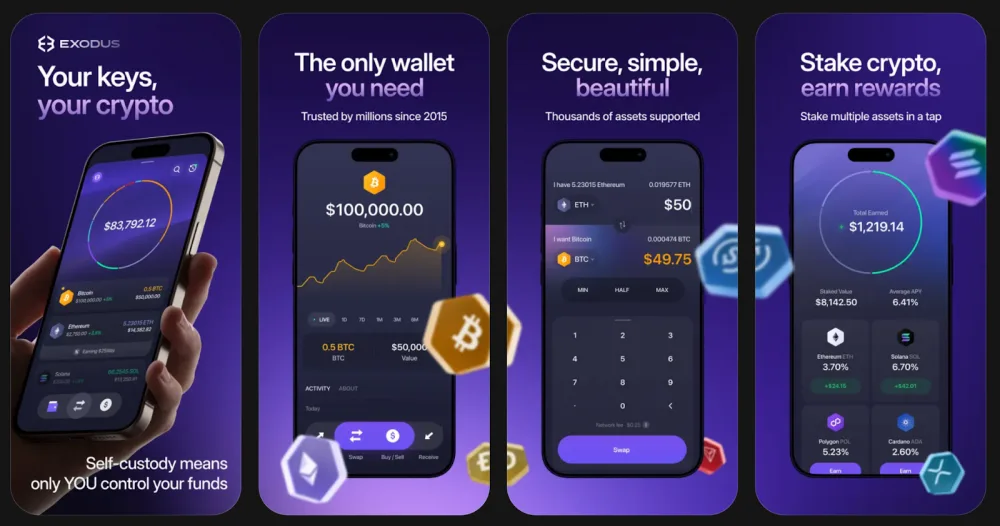
It may suit beginners who want one wallet that works across devices rather than a mobile-only experience.
Exodus also includes built-in buying, swapping, portfolio tracking, staking access for supported assets, and educational/support resources directly on its site and in its app ecosystem.
Key features include:
- Support for 50+ crypto networks
- Access to 1,000,000+ assets across supported networks
- Availability on mobile and desktop
- Built-in buying, sending, receiving, and swapping
- Staking for supported assets
- Trezor hardware wallet integration
Fees: Exodus does not charge a separate fee to send or receive crypto, but users still pay blockchain network fees for onchain transactions. For swaps, rates start as low as 0.5%, though total cost can vary depending on the asset, route, liquidity, and network conditions.
Pros:
- Available on both desktop and mobile
- Broad network and asset support
- Includes basic wallet functions in one interface
- Can be used with a Trezor hardware wallet later
Cons:
- As a self-custodial wallet, recovery responsibility still remains with the user
- Total transaction cost depends on network fees and swap pricing
- May be more feature-rich than some beginners need at the start
How to Choose the Right Crypto App as a Beginner
Choosing the best crypto app for beginners depends on what you want to do first. Some apps are better for buying crypto quickly with fiat, while others are better for self-custody, staking, swaps, or exploring Web3.
For most people, a crypto exchange app is the easiest place to start. Apps like Coinbase, Robinhood Crypto, Crypto.com, and Uphold are generally more beginner-friendly because they make it easier to create an account, verify your identity, connect a payment method, and buy crypto in a familiar interface.
A crypto wallet app may be a better fit if you want more control over your assets. Wallets like Zengo, Trust Wallet, Phantom, and Exodus are designed for self-custody, which means you manage access to your crypto yourself rather than leaving it on an exchange. That can offer more flexibility, but it also comes with more responsibility.
When comparing the best crypto apps for beginners, focus on these factors:
- Ease of use: Look for an app with a simple interface and clear onboarding.
- Fees: Check whether the app uses fixed fees, variable fees, spreads, or network costs.
- Supported cryptocurrencies: Make sure it supports the coins and networks you actually want to use.
- Custodial vs. non-custodial: Decide whether you want convenience or direct control over your crypto.
- Features: Some apps only support buying and selling, while others include staking, recurring buys, swaps, NFTs, or Web3 access.
- Security: Look for features such as 2FA, biometric login, recovery tools, or hardware wallet support.
In general, beginners often start with a centralized exchange to buy crypto, then add a wallet for self-custody and more direct control — or use both from the start.
Common Beginner Mistakes to Avoid
One of the most common mistakes is choosing an app based on marketing claims alone. Terms like “zero fees” or “most secure” do not always reflect the full picture — it is worth checking how the app handles spreads, network fees, withdrawals, and in-app swaps before committing.
Picking an app with too many features too early is another common pitfall. A beginner does not need access to staking, NFTs, DeFi, and advanced trading from day one. A simpler starting point often makes the basics easier to understand.
Other mistakes include not checking whether the app supports the assets or networks you actually want, overlooking basic security setup such as 2FA, biometric login, and wallet recovery, and relying too heavily on app store ratings without looking into fees, supported assets, or customer support.
It is also worth remembering that not all crypto apps work the same way. Some are built for buying and holding, others for self-custody, swapping, or Web3 access. Choosing the wrong type can make the experience more confusing than it needs to be.
To avoid most beginner mistakes, keep a few basics in mind:
- Do not choose an app based only on “zero-fee” claims
- Do not assume every app supports the same coins or networks
- Do not ignore security setup and recovery options
- Do not start with more features than you actually need
- Do not rely on ratings alone without checking fees and functionality
FAQ
The best crypto app for beginners is usually one that makes signup, funding, and the first purchase simple. For most users, Coinbase is one of the easiest places to start.
Yes. Coinbase is beginner-friendly because it has a simple interface, clear onboarding, and basic tools like recurring buys and educational content.
Most beginners start with a crypto exchange because it is easier for buying crypto with fiat. Wallets make more sense once you want self-custody or more direct control over your assets.
The safest wallet for beginners is usually the one they can use and secure correctly. A wallet with simple recovery and clear security tools is often a better fit than one with more advanced features.
Usually not for storage alone, but users still pay network fees for blockchain transactions. Buying, swapping, or selling inside a wallet can also involve extra provider or routing costs.