The Ledger vs Trezor debate has continued for years because both brands solve the same core problem: keeping crypto wallet private keys safe. When coins sit on exchanges, control rests with those platforms. When keys are stored in apps, phones, computers, and browsers become part of the risk. Hardware wallets change the setup by keeping transaction checks on an isolated device.
Ledger and Trezor go their own ways. Ledger leans into protected chips, intuitive software, phone compatibility, and wide cryptocurrency coverage. Trezor builds on publicly visible code, straightforward recovery steps, and a clearer approach to safety checks. Each has weak spots. Picking the right option depends on your assets, transaction habits, and whether you care more about ease or visibility.
Contents
- Ledger vs Trezor: Quick Overview
- What Ledger Does Best
- What Trezor Does Best
- Ledger vs Trezor Hardware Wallets
- Secure Element Compared to Open Source Security
- Backup and Recovery Experience
- Ease of Use
- Coin and Token Support
- Privacy
- Price and Value
- Ledger vs Trezor for Bitcoin Storage
- Ledger vs Trezor for Altcoin Support
- Ledger vs Trezor for DeFi and NFT Use
- The Ledger Recover Controversy
- Open Source: What It Means
- Common Mistakes With Both Wallets
- Best Hardware Wallet for New Users
- Best Hardware Wallet for Advanced Users
- Ledger vs Trezor: Final Comparison
- Ledger vs Trezor: Final Verdict
- FAQ
Ledger vs Trezor: Quick Overview
For active crypto users, Ledger often feels like the smoother pick. With support spanning many coins and tokens, it pairs well with mobile devices. The Ledger Wallet app pulls multiple tools into one place, streamlining the experience.
For those preferring open-source software, Bitcoin storage, straightforward backup steps, and transparency in how things work, Trezor fits better. Its minimal approach draws many long-term holders.
| User type | Better fit | Why |
|---|---|---|
| Beginner with BTC▲$62,630.00 and ETH▲$1,761.17 | Trezor Safe 3 or Ledger Nano S Plus | Simple and affordable |
| Mobile-heavy user | Ledger Nano X, Ledger Flex, or Nano Gen5 | Better mobile-first experience |
| Open-source purist | Trezor | Stronger transparency philosophy |
| Altcoin-heavy portfolio | Ledger | Broader coin and token support |
| Touchscreen preference | Ledger Flex, Ledger Stax, Trezor Safe 5, or Trezor Safe 7 | Better transaction visibility |
| Budget buyer | Trezor Safe 3 or Ledger Nano S Plus | Good entry-level security |
| Premium buyer | Ledger Stax, Ledger Flex, or Trezor Safe 7 | Larger screens and higher-end build |
Starting out with hardware wallets? Skip the confusion. Get yours only from the maker’s page or a trusted vendor. Put your backup words on paper, somewhere safe. Never feed them into any online form. Try moving a tiny amount before trusting the wallet fully. How good one brand seems over another is not the real win. Using what you have well is.
What Ledger Does Best
What makes Ledger stand out is the wide range of tools across its system. When users manage multiple assets, want them all in one place, and check the app frequently, it fits naturally. The Ledger Wallet app, once known as Ledger Live, allows users to purchase, exchange, stake, transfer, and receive coins, while tracking portfolio changes. Availability depends on the token and region.
Inside Ledger devices sit special security chips, similar to those used in credit cards and travel documents. A hacked laptop cannot reach the secret codes because private keys never leave the device itself.
Related: Best Bitcoin Wallet in 2026 – Safe & Easy Options
Ledger also puts serious effort into device design. The Nano S Plus and Nano X stay close to the familiar USB-style hardware wallet. The Flex, Stax, and Nano Gen5 step forward with bigger screens and clearer transaction review through E Ink-style displays.
Put simply, Ledger is sleeker and easier to use. It offers a clean look and wide functionality, yet it falls short of expectations for those who value complete transparency.
What Trezor Does Best
What stands out most about Trezor is how clear it makes everything. Built on code others can inspect, its design puts owners in charge. When someone cares about what actually operates inside their device, this openness matters.
Trezor Suite feels more straightforward than many other crypto tools. It lists fewer coins than Ledger but includes all majors: Bitcoin, Ethereum, stablecoins, XRP▲$1.13, Cardano, Solana, Dogecoin, and Litecoin.
The updated Trezor Safe versions also include secure chip protection, closing a gap that once favored Ledger.
Though they look ahead of the original Model One, Safe 3, Safe 5, and Safe 7 still stick to Trezor’s transparent-code roots.
Ledger vs Trezor Hardware Wallets
Picking between them gets tricky when so many models are on the table. Design, app integration, and mobile use matter more for Ledger. Trezor cares more about openness, fewer distractions, and keeping things safe over years.
| Brand | Model | Positioning | Best for |
|---|---|---|---|
| Ledger | Nano S Plus | Entry-level USB device | Budget users on desktop or Android |
| Ledger | Nano X | Bluetooth-enabled wallet | Mobile-focused users |
| Ledger | Nano Gen5 | Newer screen-based signer | Users wanting more screen space without Stax pricing |
| Ledger | Flex | High-tier touchscreen option | Easier transaction review |
| Ledger | Stax | Curved E Ink premium model | Premium Ledger users |
| Trezor | Model One | Older budget model | Basic digital asset storage |
| Trezor | Safe 3 | Modern wallet with secure chip | Strong value pick |
| Trezor | Safe 5 | Touchscreen wallet | Easier approval steps |
| Trezor | Safe 7 | Advanced premium model | Dedicated long-term owners |
Value favorites include Ledger Nano S Plus, Ledger Nano Gen5, Trezor Safe 3, and Trezor Safe 5. If budget is less tight, Ledger Flex, Ledger Stax, and Trezor Safe 7 are the high-end options.
Secure Element Compared to Open Source Security
When it comes to safety, the Ledger vs Trezor comparison gets tense.
Inside Ledger’s setup sits a tough security chip. Private keys never leave that shielded space because sign-offs occur right within it. Protection matters when someone tries prying into or tampering with the device physically.
Trezor relies on open-source code for maximal security. What you see is how it works, down to the core logic. Newer Safe versions include hardened chips for protection, yet they still stick to shared, open designs.
Related: Crypto Exchange Battle 2026: Binance vs Bybit — Where Do Traders Prefer to Trade?
The tradeoff is simple:
- Ledger begins with chip-level security and tightly managed layers.
- Trezor focuses on open-source checking and visible design.
- Users concerned about hardware tampering may prefer Ledger.
- Users uneasy with hidden code may prefer Trezor.
- Storing large amounts on unpredictable hot wallets or exchanges carries much higher risk than either option.
Most people are not taken down by some tech wizard with expensive gear. The real trouble usually comes from fake websites, fake wallet apps, leaked seed words, bad backups, malicious dApps, or buying from shady sellers.
Backup and Recovery Experience
Lost your device? The coins are not inside the metal box. They live on the blockchain. What counts is the backup phrase. With those words, you can restore access.
Most errors happen here. When you photograph your recovery phrase, upload it somewhere online, email it, or type it into a fake support site, the hardware wallet cannot help.
Not everyone agrees on Ledger’s added recovery tools. Some find them handy. Others feel uneasy when any extra layer touches the idea of secret words. Having choices matters, but full personal control sits at the heart of how many people define security.
Trezor’s recovery approach leans on older self-custody methods. Some versions allow splitting access through Shamir Backup, where several pieces must come together later. Each part alone does nothing useful.
A smart backup setup looks like this:
- Write the recovery phrase on paper during setup.
- If the holdings matter, move the phrase to a metal backup.
- Store it somewhere private and physically secure.
- Never type it into a computer, phone, app, or website.
- Test recovery using a small amount first.
Calm works fine. In crypto, flashy fallback plans usually turn into warnings down the road.
Ease of Use
Ledger usually leads when it comes to smooth apps and handling digital assets. Holding various coins is where Ledger Wallet shows strength: broad support, staking features, exchange functions, and third-party links. Jumping between blockchains works better when everything fits together.
Trezor pulls ahead on clarity. Trezor Suite feels roomy and quiet. People who just need to move coins, receive funds, keep savings safe, or check records without noisy extras may find it fits better.
| Preference | Better choice |
|---|---|
| “I want one app that handles many assets” | Ledger |
| “I want a simple interface and fewer distractions” | Trezor |
| “I use my phone often” | Ledger |
| “I mostly use desktop” | Either |
| “I want a touchscreen” | Ledger Flex/Stax/Gen5 or Trezor Safe 5/Safe 7 |
| “I want the least complicated setup” | Trezor Safe 3 or Ledger Nano S Plus |
Coin and Token Support
Ledger works with a wider range of digital currencies. That gives it a real edge in everyday use. If you own uncommon tokens, newer chains, NFTs, staked coins, or holdings spread across multiple ecosystems, Ledger is more likely to handle them directly or through external tools.
Most big cryptocurrencies work fine on Trezor: Bitcoin, Ethereum, stablecoins, Solana, Cardano, XRP, Dogecoin, and many ERC-20 tokens. Plenty of users cover their needs with those alone. If you chase lesser-known alternatives, verify support before buying.
Check first, whichever wallet you choose:
- Does the wallet support your coin?
- Does it support the correct network?
- Can you send and receive inside the main software?
- Does it require an outside wallet?
- Is staking built in or handled through another system?
- Does the device screen clearly show transaction details?
Just because a platform says it handles USDT▲$0.9991 does not mean it works with the specific version you need. The same goes for NFTs, staking, bridged tokens, layer-2 networks, and newer blockchains.
Related: Top 5 DEX Wallets in 2026: Which Crypto Wallet Is Best for DeFi and Swaps?
Privacy
Open-source roots give Trezor a sharper edge when it comes to user privacy. Its messaging leans hard into personal control rather than convenience. Trezor Suite mirrors that mindset. Ownership is not a feature there; it is the point.
Ledger offers a wider app ecosystem. That helps, but every outside service needs a careful look. Buying crypto, swapping assets, staking, or using card-related services may involve KYC, regional rules, and third-party data handling.
Privacy is not only about the device. The exchange you use, where you withdraw from, whether you reuse addresses, whether you connect to decentralized apps, and whether you hand over ID details all matter.
If privacy sits high on your list, Trezor lines up better. When ease weighs heavier, Ledger moves with fewer snags.
Price and Value
A small price today beats losing everything tomorrow. Hardware wallets cost money, but even cheaper models can prevent a much larger exchange or phishing loss.
Low prices are where Trezor often shines. The Trezor Safe 3 brings current security tools without costing too much.
Ledger’s entry models also hold up well. Its touchscreen devices move toward the high-end. Flex and Stax are not necessary if you only store coins quietly. They fit users who want bigger displays and smoother transaction review.
| Budget / use case | Best Ledger option | Best Trezor option | Comment |
|---|---|---|---|
| Tight budget | Nano S Plus | Safe 3 | Basic but solid |
| Mid-range | Nano X or Nano Gen5 | Safe 5 | Better usability and screens |
| Premium | Flex or Stax | Safe 7 | Better comfort, not magic security |
| Bitcoin-first | Nano S Plus | Safe 3, Safe 5, or Safe 7 | Trezor feels more natural |
| Altcoin-heavy | Ledger | Trezor only if supported | Always verify compatibility |
Buying from unknown corners online is not clever. Saving a little money here can mean risking everything later.
Ledger vs Trezor for Bitcoin Storage
Bitcoin fans who skip altcoins might lean toward Trezor. The device runs clean, the open-code philosophy echoes personal control ideals, and pared-down firmware options strip away clutter where available.
Ledger still holds Bitcoin safely. But for long-term BTC cold storage, Trezor often feels more natural. Good Bitcoin-focused options include Trezor Safe 3, Trezor Safe 5, Trezor Safe 7, or Ledger Nano S Plus if you already prefer Ledger’s ecosystem.
Ledger vs Trezor for Altcoin Support
Most people with lots of altcoins lean toward Ledger. More coins are compatible, and it works well with outside wallets. When holdings involve Ethereum, Solana, Cosmos, NFTs, staked tokens, or fresh blockchains, life tends to run smoother on Ledger.
Trezor supports many leading cryptocurrencies, but users frequently switching to obscure tokens or emerging chains may find it limiting.
Top Ledger choices for altcoins include Nano X, Nano Gen5, Flex, and Stax.
Ledger vs Trezor for DeFi and NFT Use
When it comes to DeFi and NFTs, Ledger tends to stay ahead because of wider support across outside tools. People often link Ledger to apps like MetaMask, Rabby, Phantom, or Keplr.
Trezor connects to DeFi platforms too, but its strength lies more in secure storage than frequent cross-chain transactions.
While a hardware wallet guards your keys, it does not automatically make every contract safe. If you approve a bad transaction, the device will not save you from that decision.
The Ledger Recover Controversy
A balanced look at Ledger vs Trezor cannot ignore Ledger Recover. When Ledger launched its optional backup feature, responses came fast. Some users saw help for mainstream adoption. Others worried that trust might slip if recovery involved outside help.
Ledger describes the feature as voluntary, encrypted, and verified by identity checks. Still, for some experienced customers, confidence took a hit.
Is Ledger risky because of this? Not exactly. But it does push users toward an ecosystem where the company has tighter control compared with Trezor. Some people do not mind. For others, it feels wrong.
If Ledger Recover feels off, choose Trezor. If wide support matters most and you will not use extra recovery tools, Ledger still holds up well.
Open Source: What It Means
Because anyone can look at the code, test it, and challenge it, openness builds trust. When people care about what is under the hood, Trezor stands out. Its public code speaks louder than promises.
Some parts of Ledger are not open for viewing. Ledger argues that its locked-down system and special security chip keep users safe. That explanation works for many. Others want evidence they can inspect themselves.
Protection stacks up piece by piece. Hardware matters, but so do firmware, software behavior, supply chain, transaction checks, recovery setup, and user habits.
Choose Trezor if seeing everything clearly matters most. Choose Ledger when hardware security and everyday ease matter more.
Common Mistakes With Both Wallets
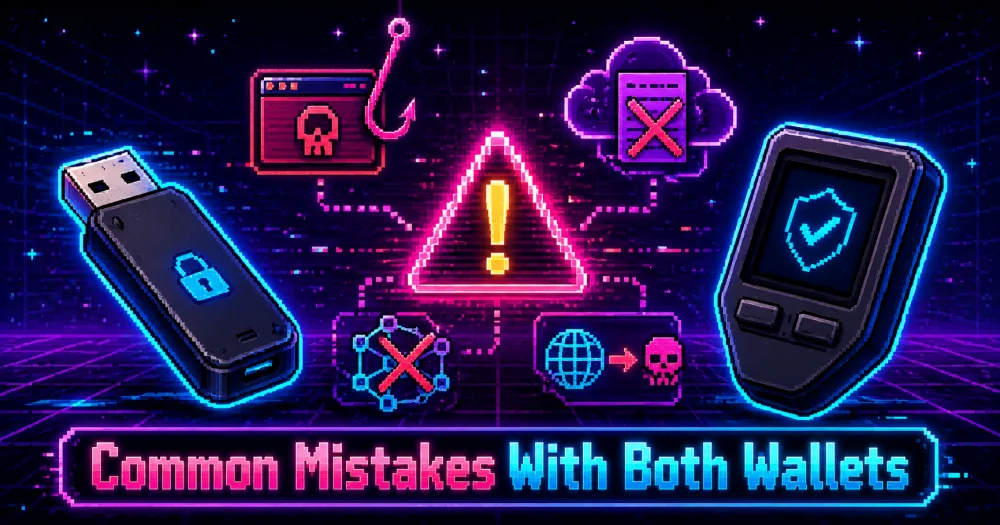
Wrong moves by people cause most problems, not the mark shown on the device.
Avoid these mistakes:
- Buying from unofficial sellers.
- Using a device that arrives already initialized.
- Taking a photo of the recovery phrase.
- Saving the phrase through Google Drive, iCloud, email, or Notes.
- Entering the recovery phrase on a website or app.
- Ignoring the device screen when approving transactions.
- Sending funds on the wrong network.
- Connecting the wallet to random dApps.
- Leaving the recovery words next to the device.
- Assuming hardware stops all scams.
Those words are your wallet. What you hold in your hands merely signs transactions. Protect each word like it opens every door, because that is exactly what it does.
Best Hardware Wallet for New Users
For those just starting out, consider Ledger Nano S Plus, Ledger Nano Gen5, Trezor Safe 3, or Trezor Safe 5.
Trezor Safe 3 may stand out as the easiest pick when value matters. It is affordable, modern, and simple to understand. For those leaning toward Ledger’s interface and wide crypto range without spending much, Nano S Plus fits well.
Phone-first users may prefer Ledger Nano X or Nano Gen5. Desktop-first users may prefer Trezor Safe 3.
Truth is, it is not only about the tool. What matters is how you handle it. A top model fails when mistreated. A simpler one works when used correctly.
Best Hardware Wallet for Advanced Users
Advanced users usually divide based on philosophy.
When hopping across chains like Ethereum, Solana, Cosmos, Bitcoin, NFTs, staking, and DeFi, many choose Ledger because its wide asset support helps. Practicality wins when tools connect without hassle.
People who care deeply about Bitcoin and privacy often pick Trezor because of its open code, Bitcoin-focused options, and clear self-custody style.
One side claims victory, yet nobody fully wins. Two groups sit apart, each thinking the other slipped into nonsense. That is how it goes in crypto.
Ledger vs Trezor: Final Comparison
| Category | Winner | Why |
|---|---|---|
| Asset support | Ledger | Handles more coins, tokens, NFTs, and integrations |
| Open-source transparency | Trezor | Stronger open-source roots |
| Mobile use | Ledger | Better phone-friendly models |
| Beginner simplicity | Trezor | Cleaner setup, especially Safe 3 |
| Premium hardware | Tie | Ledger Stax/Flex and Trezor Safe 7 target serious buyers |
| DeFi use | Ledger | Better external wallet compatibility |
| Bitcoin-only storage | Trezor | Better philosophical and practical fit |
| App ecosystem | Ledger | More features in one place |
| Privacy culture | Trezor | More focused on personal control |
| Budget value | Trezor Safe 3 | Strong protection without overspending |
Ledger vs Trezor: Final Verdict
The Ledger vs Trezor choice boils down to one question: would you rather maximize convenience or transparency?
Pick Ledger if you juggle several tokens, use DeFi, and need mobile app support. For those moving across blockchains regularly, it works more smoothly.
Pick Trezor for open-source safety, Bitcoin storage, and stronger transparency. It is mostly long-term savers who benefit from its straightforward design: fewer features mean fewer things to question.
Both work well. While there is no such thing as 100% safety, a good wallet lowers the risk significantly, and your habits finish the job.
FAQ
Is Ledger better than Trezor?
Ledger fits better for many assets, DeFi, NFTs, and mobile use. Trezor fits better for open-source transparency, Bitcoin storage, and straightforward self-custody.
Is Trezor safer than Ledger?
Not automatically. Trezor’s code is more visible. Ledger leans on secure chips and tight design control. Most users face bigger risks from phishing, bad backups, fake sellers, and careless transaction approvals.
Which is better for Bitcoin, Ledger or Trezor?
Most Bitcoin-only users may prefer Trezor because of clear code access and a clean BTC-first design. Ledger is still secure for Bitcoin but shines more when handling many blockchains.
Which is better for altcoin storage?
Ledger is usually better for altcoins because it supports more assets and works more smoothly with third-party tools. Trezor handles common coins well, but rare or new tokens are more likely to create support gaps.
Should beginners choose Ledger or Trezor?
Beginners should look at Trezor Safe 3, Trezor Safe 5, Ledger Nano S Plus, or Ledger Nano Gen5. Trezor is simpler. Ledger covers more assets. Choose based on whether simplicity or range matters more.
Can Ledger or Trezor be compromised?
The devices keep keys offline, but users can still lose money through phishing, fake software, malicious dApps, seed phrase leaks, supply-chain scams, or careless approvals.
Is it safe to buy Ledger or Trezor on Amazon?
Buying directly from the official website or an authorized seller is safer. Avoid secondhand devices, broken seals, suspicious discounts, or anything that arrives with a recovery phrase already written down.
Do Ledger and Trezor support NFTs?
Ledger usually makes NFT use smoother because of broader integrations. Trezor connects to some blockchains and external apps, but Ledger is easier for active NFT users.